Name SVG Generator for Cricut
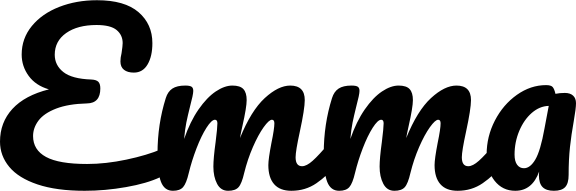
Make a free name SVG for Cricut Design Space. Choose a licensed font, adjust width and spacing, weld overlaps, and download SVG or transparent PNG.
Design your name
Loading the selected font…
1–24 inches. Height scales with the design.
Move left to bring letters closer. The finished width stays fixed; detached dots and spaces may remain.
Remove cut lines where letters overlap. Spaces and detached marks keep their positions.
Pacifico · SIL OFL 1.1 · Commercial use allowed.
Your name stays in this browser.
Cut preview
1 cut pieceTurn a photo into line art & SVG for Cricut
Take your name from preview to a cut file
- Type a name, pick a font and set the finished width. Adjust letter spacing while watching the cut preview.
- Keep Weld enabled to remove overlap cuts. Check the piece count, letter holes and any fine-detail warning.
- Download SVG, upload it to your cutting app and confirm the width before cutting a test in your chosen material.
Works with your cutting app
Upload the outlined SVG to Cricut Design Space or Silhouette Studio Designer Edition and above. No font installation is needed. Confirm the finished dimensions in the app before cutting.
Silhouette Studio Basic cannot open SVG. Download the transparent PNG instead, open it in Studio, then use the Trace panel to create cut lines. Check the inner letter holes and set the intended width after tracing.
See Silhouette’s Basic Edition and tracing guide and SVG import requirements.
Check the fine details
A fine-detail warning means some strokes may be too narrow for a clean cut. Try a larger width or a bolder font, and test a scrap of your actual material. The estimate is a guide, not a guarantee.
Weld joins overlapping shapes but does not bridge gaps. Keep detached dots and separate words aligned with transfer tape; cardstock projects may need a backing added in your cutting app.
For iron-on, mirror in your cutting app when the material requires it. These downloads are not mirrored.
Questions about name SVG files
Do I need to install the font before opening the SVG?
No. SVG exports contain closed paths, with no text elements, font files or external font references. The design keeps its shape on another computer.
Can I use these fonts in products I sell?
The bundled fonts use the SIL Open Font License 1.1, which allows commercial use. Their original license notices are linked below. Your design content still needs to be your own to use.
Is the PNG background transparent?
Yes. The PNG contains black lettering with transparency and is rendered at 300 pixels per inch of the chosen dimensions. Confirm its physical size when importing into another app.
Do I need an account or a subscription?
No. Single-name SVG and PNG downloads are free and run in your browser. The possible future batch tool is only an interest placeholder, with no checkout.
Batch for Etsy sellers (coming soon)
Would a list of names turned into individual SVG files save you time? Tell us you are interested in a possible trial. Batch generation is not available yet.
No payment or email signup. If you allow usage analytics, your click counts anonymous interest. Check this page for a future trial.
Fonts you can use commercially
All 11 bundled fonts use the SIL Open Font License 1.1. The SVG contains your design’s outlines, not embedded font software. Keep the original license with any font files you redistribute.
- PacificoScript · SIL OFL 1.1
- Great VibesScript · SIL OFL 1.1
- LobsterScript · SIL OFL 1.1
- AlluraScript · SIL OFL 1.1
- SacramentoScript · SIL OFL 1.1
- Kaushan ScriptScript · SIL OFL 1.1
- CookieScript · SIL OFL 1.1
- CourgetteScript · SIL OFL 1.1
- Manrope BoldBold sans · SIL OFL 1.1
- Instrument SerifSerif · SIL OFL 1.1
- Nunito ExtraBoldRounded · SIL OFL 1.1